See how a DPP can be presented.
The public example shows identity, data, evidence, access and lifecycle without claiming real product data or certified compliance.
Open the public DPP demoNexusDpp separates collection, checks, approvals, identity, publication, registration and lifecycle. Each module can integrate with existing business processes.
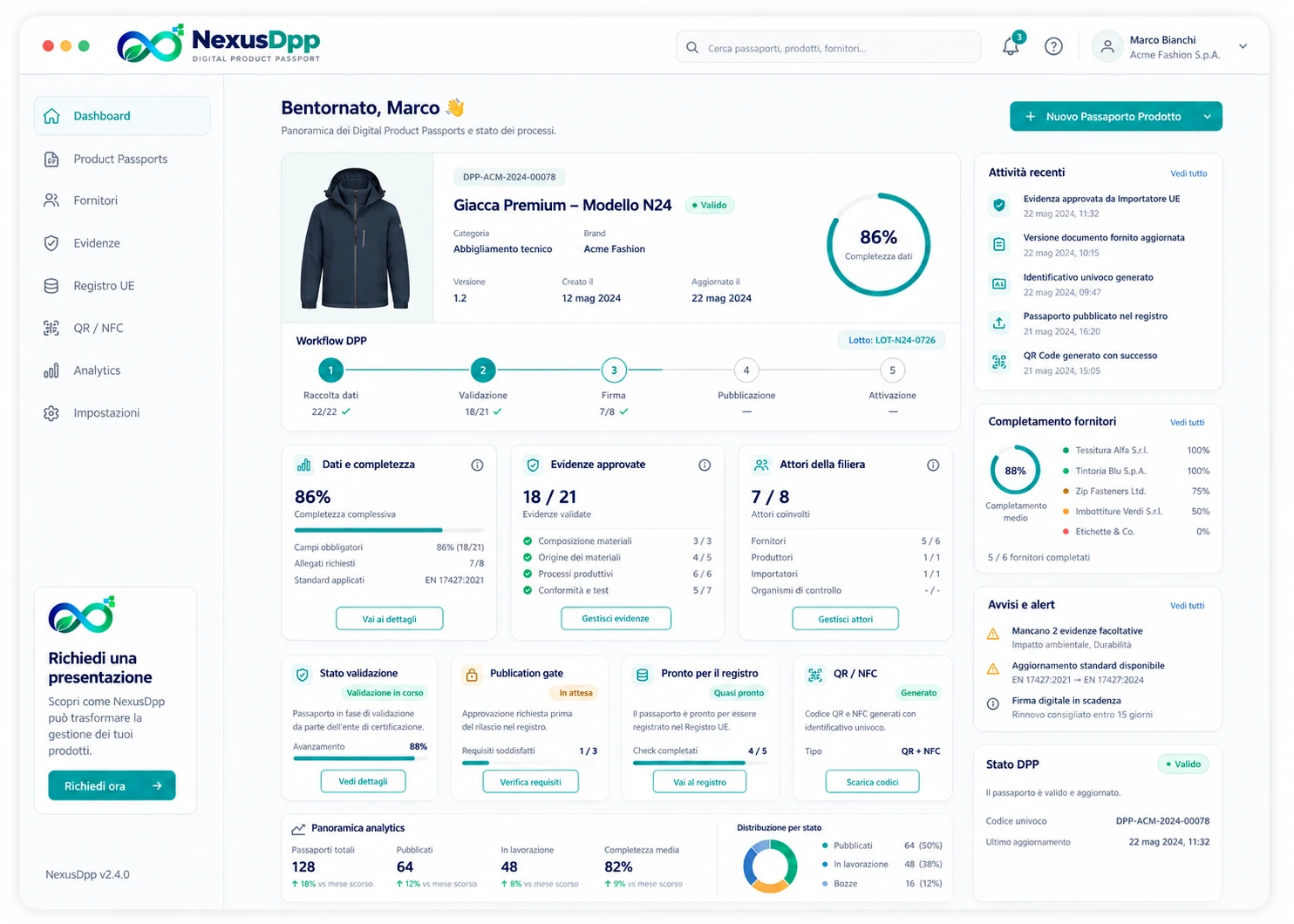
The public example shows identity, data, evidence, access and lifecycle without claiming real product data or certified compliance.
Open the public DPP demoThe Trust Center separates defined components, MVP implementation work and the enterprise roadmap.
Open the Trust CenterEach company can select one primary approach or combine all three within the same project. Configuration may vary by product category, data family, supplier or process stage.
Users enter information directly into the DPP model configured for the product. The platform displays only the fields relevant to the role, sector and current workflow status.
The company uploads documents it already holds. AI analyses the content and prepares completion proposals, reducing the work required to read and transcribe large volumes of information manually.
NexusDpp can include a lightweight repository linking suppliers, items, components and documents. Recurring information is organised once and reused across authorised DPPs.
The ingestion method can be defined for each field or data group. A single DPP can therefore combine manually entered data, information extracted from documents and content already held in the company database.
During onboarding, products, suppliers, available documents, internal owners and information sources are identified. NexusDpp defines which data will be entered manually, which can be extracted with AI and which will come from the document database.
Master data may come from the database, technical data from AI-analysed documents, and commercial or confidential information from manual entry. The rule may vary by sector, model, batch, component or individual unit.
Each user sees only the assigned fields, documents and actions. Suppliers can complete their part, importers or manufacturers can review it, and verifiers access only the authorised evidence.
Acquired data remains a draft or proposal until validated. The platform records the source, author, date, version, corrections and approval, preserving a readable path to publication.
Every item of information is associated with the correct object: company, supplier, item, component, model, batch or unit. This prevents a generic document from being used for a different product.
Approved data can feed multiple DPPs according to defined rules. When a document is replaced or expires, NexusDpp identifies the affected products, opens the update workflow and preserves the history of previous versions.
A configurable process that reduces duplication, preserves human control and provides structured data, linked documents and verifiable responsibilities throughout the DPP lifecycle.
One environment for organisations, products, documents, roles, statuses and integrations, with a clear separation between public data, restricted data and verifiable evidence.
Organisations, users, roles, delegations and access for importers, manufacturers, non-EU suppliers and verifiers.
Data requests, deadlines, revisions, approvals, signatures, statuses and blocking rules managed in the backend.
Product identity, versions, datasets, attachments and relationships among components, batches and individual units.
Dynamic category templates, mandatory fields, validations, evidence and consistency checks.
Audit trail, digital fingerprints, timestamps, notarisation and third-party verification opinions.
Counterparty screening, final destination, end users, logistics documents and an evidence dossier.
Explore the moduleQR, NFC, GS1 Digital Link and differentiated views for consumers, partners, authorities and service teams.
Product, sector, economic operator, dataset and access levels.
Internal completion or secure invitation to suppliers and partners.
Automated checks, human review and optional independent verification.
Unique code, QR/NFC and linkage to the physical carrier.
Triggers from ERP, orders, logistics or market events, followed by maintenance and end-of-life updates.
Data can be imported or synchronised through structured files, connectors and dedicated integrations. Events can activate or update the passport automatically and in a coordinated way.
Item master data, orders, suppliers, invoices, batches and commercial status.
Production, serialisation, packing, shipping, warehouse receipt and delivery-event data.
For batteries: state of health, technical events and dynamic data, according to availability and access rules.
Data-carrier generation and integration with labelling, QR and NFC systems.
Connector for the live EU DPP Registry, including identifiers, metadata, status, errors and electronic proof of registration.